Staring at a long to-do list can feel overwhelming until you spot one app that changes how you work. That’s the magic of smart technology apps used well.
Efficiency isn’t reserved for experts or tech lovers; everyone who tries smart technology apps notices better focus, less wasted effort, and fewer mistakes in recurring tasks.
If you want clear ideas, fresh techniques, or help picking the best tools, spend a few minutes here. This article explores real-world examples and actionable strategies for boosting your output.
Transforming Time Management: Structures That Guide Your Day
Adding a time-blocking rule to your morning routine leads to tangible improvements. Smart technology apps embed these principles directly into your schedule, working in the background.
Once you automate task reminders and calendar syncs, you free your mind for deeper focus. The structure makes procrastination less tempting and ensures every minute counts.
Designing a Personal Productivity Blueprint
When you open your chosen smart technology apps, a template can suggest when to check messages, start deep work, or take a midday break. Follow the layout for faster results.
Imagine saying, “Show me my top three tasks.” This priority list removes hesitation. Stick to completing these before jumping to notifications or lower-value work.
If an app alerts you to overdue items, that’s your cue to assess why you got sidetracked. Use the feedback feature to spot patterns and repair scheduling gaps.
Fine-Tuning Reminders to Match Natural Energy
Set recurring app reminders for complex tasks during your peak alertness. This micro-strategy uses your natural body rhythms, making focus easier and boosting completion rates.
Avoid crowding your morning with low-impact work. Smart technology apps let you delay or batch notifications so you tackle busywork during your energy dip instead.
Revisit reminders every two weeks. Fine-tune when things pop up. With just a few taps, your apps adjust to your real daily life curve, not someone else’s.
| Feature | Example App | Benefit | What To Do Next |
|---|---|---|---|
| Time Tracking | RescueTime | Pinpoints wasted time effortlessly | Check your weekly report before Monday planning |
| Calendar Sync | Google Calendar | Keeps events and deadlines visible | Link all devices – no missed meetings |
| Task Reminders | Todoist | Boosts accountability for daily goals | Set must-do alerts for AM hours |
| Automated Breaks | Focus Booster | Prevents burnout by scheduling downtime | Follow prompts to pause at regular intervals |
| Energy Mapping | Clockify | Aligns work with energy highs | Tag tasks by time-of-day effectiveness |
Eliminating Redundant Steps: Let Apps Handle the Busywork
You can reclaim hours when you assign routine tasks to smart technology apps instead of doing everything manually. Automation is the shortcut that ensures accuracy and speed.
Checklists and templates remove mental loads and standardize quality. Try a “next step” prompt built into your workflow app for fewer stalls and more finish lines crossed.
Creating Repeatable Automation Scripts
Build scripts that trigger every time you upload a file, update a spreadsheet, or draft a weekly report. Smart technology apps record these steps once, then duplicate perfectly.
This consistency eliminates time spent correcting or verifying data. The habit saves mental energy. You begin to trust the process, not just your memory.
- Automate file backups: Schedule automatic saves every Friday; reduces risk of data loss; just tell the app which folder to watch.
- Batch send recurring emails: Prewrite monthly updates; saves editing time; allow your app to customize dates and recipient lists.
- Sync contacts across platforms: Enter info once, let the app handle updates everywhere; prevents outdated info from stalling deals.
- Pre-fill meeting notes: Use voice dictation templates to capture action items; reduces follow-up gaps; share instantly after each session.
- Tag and sort expenses: Snap a photo, assign a label; automates budget tracking; prevents end-of-month accounting stress.
If you spot a workflow that repeats yearly, quiz the team: “What exact step delays us every time?” Document the best sequence, then set up automation once in your apps.
Standardizing Communication for Fewer Interruptions
Use auto-responders on smart technology apps. Pre-write responses to common queries, so people get clarity even when you’re deep in work. Avoids constant inbox checks.
Switch on status sharing so coworkers see when you’re at your most productive. This rule sets mutual expectations — fewer unnecessary calls mean less context-switching.
- Draft customer FAQ replies: Answer top five questions in advance; reduces time spent typing or calling; let your app send them on request.
- Create meeting-free slots: Designate mornings for solo work; communicate via group calendar; ensures focused effort before collaboration starts.
- Batch notifications: Group updates at set times; reduces distractions; use app notification settings for daily summaries only.
- Auto-share project changes: Use app automation to notify teams of updates instantly; prevents confusion over progress or next steps.
- Deploy status indicators: Toggle available/busy/away modes in communication apps; signals when to reach out or wait, so conversations fit natural work rhythms.
When the team follows these communication scripts and rhythm settings, fewer miscommunications occur — and focus deepens across the company. Confirm your personal preferences, then activate in your smart technology apps.
Cultivating a Flexible Workspace and Managing Distractions
A clear workspace reduces distraction, but digital clutter matters too. Using smart technology apps, you define which alerts pop up and when, mirroring a clean desk policy.
Notifications—timed smartly—allow you to tune out the noise and double down when needed. This isn’t about blocking everything, but about training your tech to respect focus.
Using Filters to Safeguard Attention
Apply keyword or sender filters in your messaging apps. Redirect non-urgent messages to off-peak review slots. Use this as a “digital do not disturb” sign.
Your app library should offer granular control over badges and banners. Set only crucial notices to break your concentration. This reduces multitasking and preserves flow.
For collaborative tools, teach your team the “quiet hour” protocol: mute pings, check notifications at an agreed break, and group responses for efficiency.
Resetting Workspace for a Clear Mind
Schedule a weekly clean-up of your app dashboards and folders. Archive completed projects, remove unused apps, and reset your workspace view for the next round of tasks.
Switch on dark mode and adjust font size if visual stress builds. Smart technology apps aren’t just about functionality; interface comfort sustains attention and reduces fatigue.
Encourage a five-minute end-of-day routine: clear tabs, close side projects, and check tomorrow’s workflow. This habit primes your mind for uninterrupted sleep and a focused morning.
Adapting Smart Apps to Diverse Work Styles and Teams
Smart technology apps support a range of preferences, whether you like color-coding, timers, or voice commands. Each tool flexes to match your unique way of working.
Collaborative settings let teams blend personal and shared productivity rules. For example, choose between Kanban boards, Gantt charts, or checklist views for tracking progress.
Setting Up for Visual Organizers
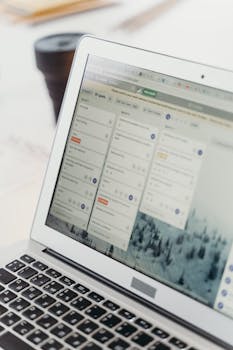
If you like visual cues, pick an app offering movable cards, blocks, or color-coded tags. These layouts keep information present and clear, minimizing guessing games during busy sprints.
Drag-and-drop systems mirror sticky note organizing on a whiteboard. Each virtual shift marks progress tangibly, which boosts motivation and memory for visual thinkers.
Add thumbnail photos, priority flags, or workflow icons. It’s like customizing your desk with post-its and files, but portable and instantly editable on every device.
Supporting Verbal and Auditory Preferences
Use smart technology apps with built-in voice recording and read-aloud options. Dictate conversations or instructions, and replay key points instead of rereading.
If you’re an auditory processor, set reminders that announce aloud at certain intervals. This mimics a coworker tapping your shoulder and saying, “Don’t forget the review at 2.”
Enable collaborative voice channels for real-time brainstorming. Hearing teammates express nuances in tone builds trust faster than reading text alone.
Boosting Decision-Making with Real-Time Data from Apps
When your apps collect and visualize data in real time, you gain clarity and make faster decisions. Tracking trends and patterns over days or weeks brings consistency to complex work.
Dashboards that compare completion times, budget usage, or resource allocation reveal hidden bottlenecks and success stories within your routine.
Comparing Before-and-After Metrics
Track a week using only memory and paper. Next, turn on your smart technology apps and let them measure time spent on each action. Compare results—the data rarely lies.
Show the team your “before and after” visual progress. Bottlenecks jump out. “We used to miss three deadlines monthly; now only one, after switching reminders on.”
Spotting a consistent issue allows immediate tweaks. Add or drop a process based on hard numbers, not guesswork. Clarity increases productivity without extra hours worked.
Turning Data into Actionable Insights
Set custom performance indicators in your dashboard—response times, task completion rates, or training progress. Review these numbers with your boss or colleagues weekly.
Turn insights into a checklist: “If rate drops, check app settings. If rate rises, add current workflow as a template for new hires.” Use numbers to guide small improvements.
Let apps track which experiments work. Save winning strategies as default settings. Your future self avoids trial-and-error by reusing what the data proves effective.
Embracing Lifelong Learning with App-Based Feedback Loops
Smart technology apps enable continuous improvement by embedding learning into your day-to-day work. Micro-feedback means you grow skills in real time, not just at formal reviews.
Weekly summary reports show which habits drive results versus which ones need a tweak. Use automatic prompts to reflect, set new goals, and test strategies.
Building a Kaizen Mindset Through Data
Each Friday, skim the in-app analytics for missed steps or repeated successes. Share discoveries with your team by posting a summary in your group chat every Monday morning.
Copy the action point: “If checklists worked, keep them; if procrastination grew, shorten tasks.” Repeat. The Kaizen approach pairs well with smart technology apps for sustainable growth.
Set up reminders to review feedback monthly. Turn repeating problems into step-by-step recipes, and store those instructions directly in your app’s library.
Using Peer Comparison for Gentle Accountability
When your smart technology apps show anonymized team averages, use these as healthy motivation. Consider sharing your improvement streak as a friendly challenge in meetings.
Notice how body language changes—more smiles, less finger-pointing—when success is measured by progress, not perfection. This nudges everyone to keep leveling up together.
Schedule mini-celebrations each time you beat a milestone. Share what worked: “Group calendar cuts conflicts by half.” Turning progress into stories builds buy-in for the next round of improvements.
Paving a Path for Sustained Efficiency with Smart Tech
Smart technology apps deliver efficiency by automating busywork, guiding decisions with real data, and adapting to users’ learning curves. This allows you to work with intention, not just speed.
Every change detailed here—bathcing routine tasks, customizing reminders, building routines, learning from data—commands attention now because it makes life easier, not harder.
Future gains come from fine-tuning these tools to fit changing needs. Stay curious, revisit your choices monthly, and let the smartest tech habits support your evolving goals.